Software Patterns in Microsoft BizTalk 2020: Under the Hood and in Practice
Introduction
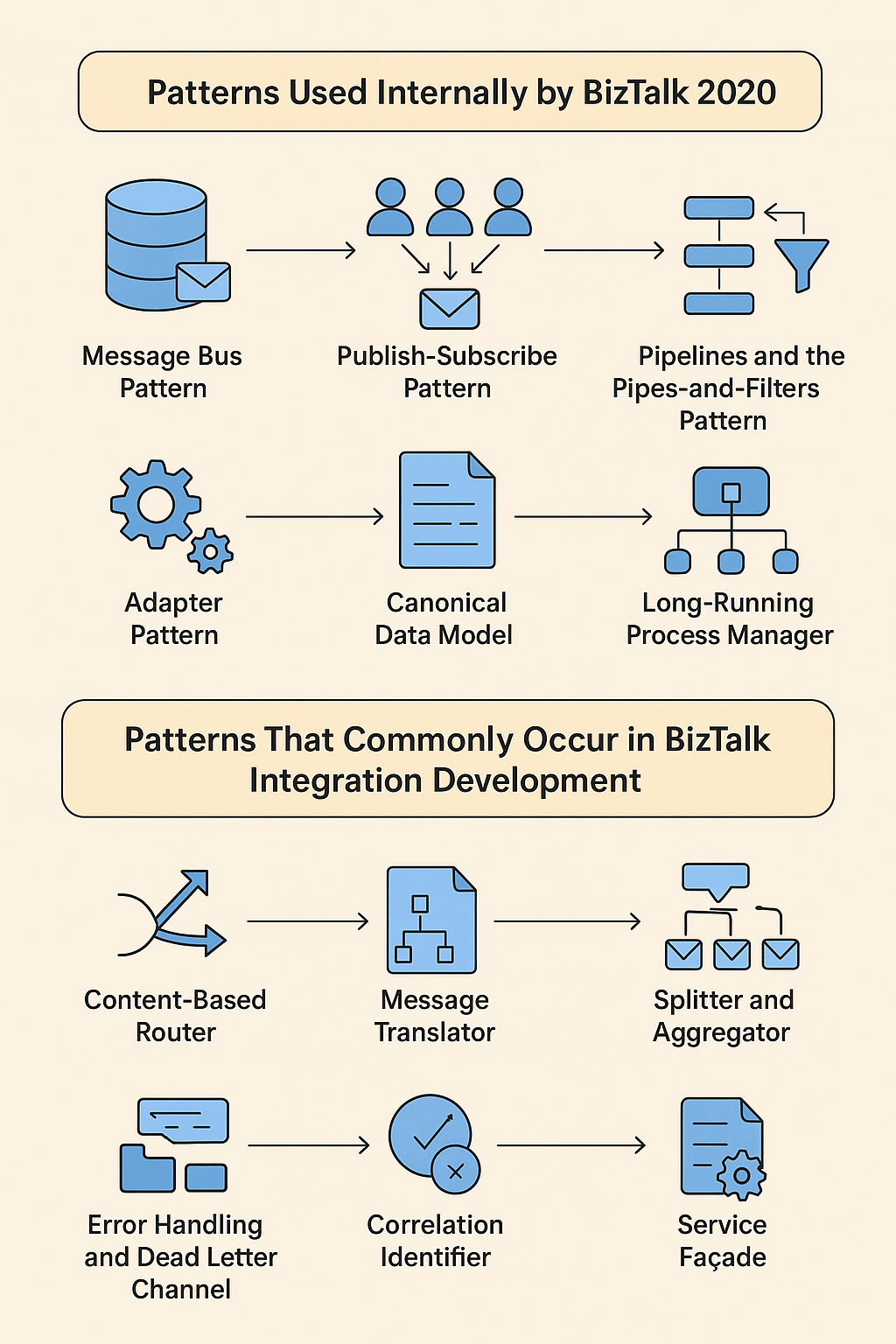
Microsoft BizTalk Server 2020 remains one of the most mature and feature-rich integration platforms in the enterprise space. While on the surface BizTalk is a collection of services, pipelines, maps, and orchestrations, under the hood it is a carefully engineered framework that relies heavily on well-established software patterns—both for its own internal architecture and for the way integration developers structure solutions.
In this post, we’ll explore:
- Patterns BizTalk 2020 uses internally
- Patterns that emerge when developing BizTalk solutions
- How these patterns help deliver robust, scalable integrations
1. Patterns Used Internally by BizTalk 2020
Even though BizTalk hides much of its complexity behind visual designers and wizards, its runtime is a textbook showcase of enterprise integration patterns and architectural best practices. Here are some of the most important ones:
Message Bus Pattern
At its core, BizTalk acts as a message bus. Messages are published into the MessageBox (a SQL Server–backed persistence store), and subscribing components—such as orchestrations, send ports, or other services—pick them up based on subscription filters. This is a prime example of publish–subscribe messaging decoupling senders from receivers.
Publish–Subscribe Pattern
The MessageBox database is effectively a pub–sub broker. Producers don’t need to know who the consumers are, and consumers don’t need to know where messages come from. Subscriptions are defined declaratively, allowing flexible routing without code changes.
Pipelines and the Pipes-and-Filters Pattern
BizTalk’s receive and send pipelines are a direct implementation of the Pipes and Filters pattern. Each pipeline consists of ordered stages and components (filters) that process the message sequentially—validating, decoding, transforming, or enriching it before passing it along.
Adapter Pattern
BizTalk adapters wrap the details of external systems—whether that’s a file system, HTTP endpoint, FTP server, or enterprise application—into a common interface. This isolates the BizTalk runtime from changes in external connection logic.
Canonical Data Model
While BizTalk doesn’t force a canonical schema, internally it operates on XML messages in a standardized envelope format. This reduces the number of required transformations and supports loosely coupled orchestration.
Long-Running Process Manager
BizTalk orchestrations leverage persistence points and dehydration/rehydration mechanisms—an application of the Process Manager pattern designed for long-running transactions. This allows workflows to wait for external events over hours, days, or even months without consuming resources.
2. Patterns That Commonly Emerge in BizTalk Integration Development
When building solutions with BizTalk, developers naturally (and often implicitly) use patterns from the Enterprise Integration Patterns (EIP) catalog by Gregor Hohpe and Bobby Woolf, as well as general architectural patterns.
Content-Based Router
Routing decisions in BizTalk are often made based on message content, schema type, or promoted properties. Filters on send ports or orchestration shapes act as the router logic.
Message Translator
BizTalk maps (XSLT-based) convert messages from one format to another. This may be schema-to-schema transformation or converting flat files/EDI to XML.
Splitter and Aggregator
Some integrations require breaking large composite messages into smaller ones (Splitter) or collecting multiple messages into a single aggregated one (Aggregator). BizTalk supports both patterns via orchestrations and pipelines.
Resequencer
When messages arrive out of order but need to be processed in sequence, orchestrations can implement resequencing logic—often using correlation sets and ordered delivery.
Error Handling and Dead Letter Channel
Suspended queues and exception handling ports in BizTalk mirror the Dead Letter Channel pattern. Messages that can’t be processed are preserved for troubleshooting and replay.
Correlation Identifier
BizTalk’s correlation sets implement the Correlation Identifier pattern, allowing related messages to be tied together across different stages of processing.
Service Façade
When BizTalk exposes a web service or API on behalf of multiple backend systems, it acts as a façade—presenting a single unified endpoint to external consumers.
3. Why These Patterns Matter
BizTalk is essentially a pattern-based integration platform. Understanding the underlying patterns means you can:
- Diagnose issues faster: You can map symptoms back to known pattern behaviors.
- Design better solutions: By deliberately applying patterns like Content-Based Router or Canonical Data Model, you can create maintainable and scalable integrations.
- Communicate effectively: Using pattern names gives your team a shared vocabulary.
Summary
Microsoft BizTalk Server 2020 is a living example of software patterns in action. Internally, it embodies Message Bus, Publish–Subscribe, Pipes and Filters, Adapter, Canonical Data Model, and Long-Running Process Manager patterns.
In daily BizTalk development, you’ll find yourself naturally applying Content-Based Router, Message Translator, Splitter/Aggregator, Resequencer, Correlation Identifier, and Dead Letter Channel patterns.
Recognizing these patterns isn’t just academic—it’s practical. They explain why BizTalk behaves the way it does and how you can best design integrations for performance, maintainability, and flexibility.
Final Thoughts
BizTalk’s longevity in the enterprise space isn’t just due to Microsoft’s support or its integration features—it’s because it is built on rock-solid, time-tested architectural patterns. As an integration developer, mastering these patterns not only makes you a better BizTalk practitioner but also sharpens your skills for any integration or messaging platform.
After all, tools come and go, but patterns are timeless. And in the world of integration, those patterns are your compass.