
Don’t you find yourself typing the usual bash commandos into PowerShell from time to time? The natural second thought is often: „ah, I have to install cygwin or something“… but since I’m constantly switching back and forth between the Linux and Windows world, I of course also have WSL 2 on my Windows workstation … and there is a wonderful PowerShell module:
https://github.com/mikebattista/PowerShell-WSL-Interop
This allows the execution of Linux commands also in my PowerShell 7 shell!
Only the old PowerShell does not work with it…
I have done this on my workstation:
- Fire up Windows Terminal (with of course all the bells and whistles 😎 (Thanks, Scott Hanselman), which are (Powerline, oh-my-posh 3 and of course Terminal-Icons)

After confirming the dialog the module just installs:

The next step is to extend the PowerShell profile to allow the commands to be executed:
So in Windows Terminal type:
code $profile
And append the following line:

Save the file. Take a few moments to examine the content of this line. It maps the available Linux command(s) [which in fact are Linux ELF binaries] to the PowerShell 7 eco system… allowing them to be called from pwsh…!
Then reload your profile:
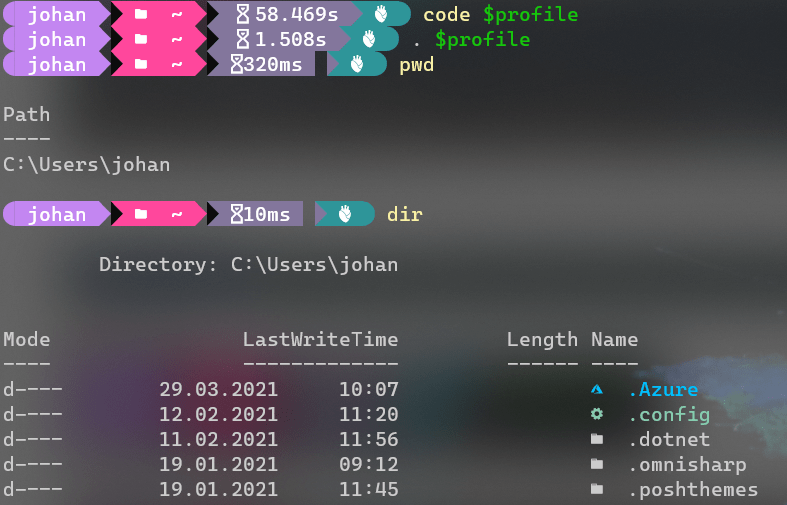
As you can see the normal dir etc. is just working as before. But the interesting part now follows:
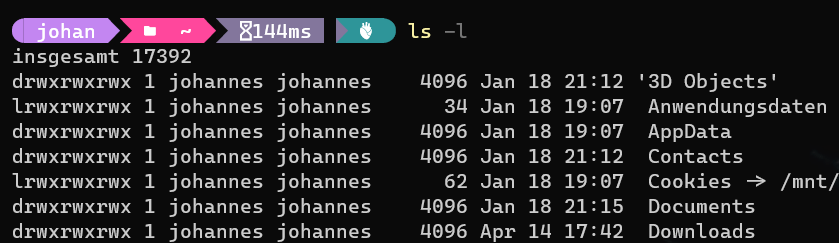
I like to point out that I do not have any Linux tools installed on my Windows Workstation. Now everything just works, regardless of if I want to work under Linux or under Windows!
After some working with this setup, I can say that even the performance of these commands under pwsh is great! It’s awesome how good and performant the WSL2 stuff under Windows 10 really is!
Enjoy!
Johannes
Views: 9
